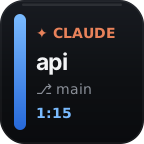
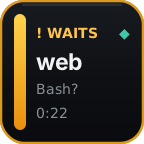
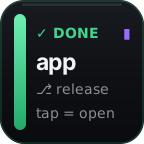
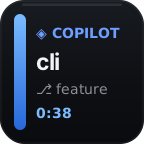
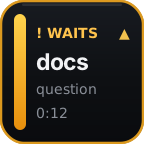
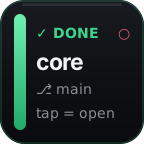
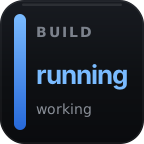
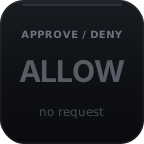

Twelve agents, one view
Live status side by side; controls where the agent exposes them.
Claude Code · Codex · Cursor · Copilot CLI · OpenCode · and seven more
See waiting and finished sessions on your Stream Deck, without checking every terminal. Tap a session key to bring its supported terminal or desktop app forward.
The trial ends without a charge. Keep it for $19 once: two computers, no subscription. Watch the 22-second overview.

Apple Silicon Mac or Windows PC · Stream Deck 6.9+ · Stream Deck device or Mobile. Controls depend on your agent and host: check compatibility.
Live status side by side; controls where the agent exposes them.
Monitoring, controls, usage, dictation, and workflows.
No VibeDeck account or plugin telemetry.
The problem
One agent is working. Another finished quietly. A third is waiting for permission. Without a shared view, you keep cycling through terminals just to learn where you are needed.
22-second illustrated overview with a synthetic voice. The key faces are the plugin's own. Read the overview transcript
Waiting sessions stay visible on the deck, with optional sound alerts. Returning to a session marks its alert seen; it does not answer the agent. Exact focus and controls depend on your agent and host. T3 opens the app rather than a particular conversation. View the session guide.
Run several Claude Code sessions, mix in Codex or Cursor, and see their status together. VibeDeck supports twelve agents; Claude Code and managed Codex have the deepest controls, and focus and controls depend on your setup.
Gemini CLI, Kilo, and Qwen Code are status only. DeepSeek Harness is status observation on macOS, with no dedicated Session key; its approvals stay in its web UI.
Every action is included in the current release.
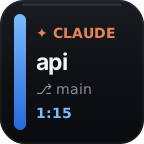
Session keys show each agent's state, while Swarm puts waiting, done, and working totals on one key.
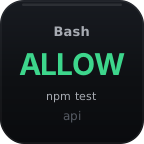
Approvals, models, effort, presets, commands, and dictation put supported session controls on the deck.
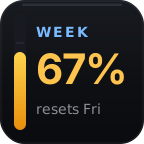
Usage, Burn Rate, Custom Signal, and Sounds cover limit pace, builds, tests, deploys, and attention alerts.
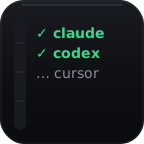
Setup, Minimize Window, and Keep Awake connect agents, clear the desktop, and prevent idle sleep.
Reasoning Effort, Model, Agent Config, and Custom Command act on the selected session. Approve / Deny answers the next supported request; Dictation Settings submits text to the session where it was dictated.
Why VibeDeck exists
“Running several coding agents made me faster. Finding the one that needed me became a second job, so I built VibeDeck for my own desk first.”
A perpetual license for two supported computers. Updates we release for your license are signature- and hash-verified and cost nothing extra. Not sure it fits your setup? The trial is the full product.
Currently shipping 1.0.4.0 for Apple Silicon Macs (M1 or newer) with macOS 13+, and Windows 10+ PCs. 14-day refund window after purchase. Local tax may apply.
First live card
You choose the agents, preview every affected file, and confirm before VibeDeck changes existing configuration; a backup is created first.
Use the macOS or Windows installer from your VibeDeck email, then activate it from the Setup action.
Select the detected agents you use and review the files VibeDeck will extend.
Restart affected sessions and send one prompt; the first live card confirms the connection.
VibeDeck 1.0.4.0 · macOS + Windows
A narrated tour of the whole product: see which agent needs you, tap back to that session’s terminal or app, approve, steer and dictate from the deck — with an original digital soundtrack.
Hold one session's key, speak, release. The transcript waits in that session until you tap send.
Input-capable sessions only. Gemini CLI, Kilo and Qwen Code are status only, DeepSeek Harness takes no dictation from normal Setup, and Claude VS Code panels accept no dictation.
The transcript arrives in the session whose key you held. You never hunt for the right window.
The words sit in that session's prompt until you tap send. VibeDeck never presses Enter until you do.
Run the optional speech engine on your computer, or use your own OpenAI key. No subscription either way.
Included in the $19 one-time purchase. No dictation subscription on top.
Optional local transcription
Choose Local in Dictation Settings, then download the optional speech engine and model from VibeDeck Setup (about 156–158 MB, depending on OS). In Local mode, audio stays on your computer.
To improve recognition, VibeDeck can give the speech engine your repository name, branch, and changed file names, plus words you add. These hints stay on your computer by default. Automatic project hints never read file contents.
A session key's transcript waits in that session until you submit it. A Dictate Anywhere key puts the transcript on the clipboard, replacing what was there, and pastes it into the app you are using without pressing Enter. Session dictation works only for input-capable sessions; status-only providers cannot receive it.
 Dictation Settings
Before checkout
Your license email links the signed macOS and Windows installers. VibeDeck is not distributed through the Elgato Marketplace, so the plugin and its updates come from getvibedeck.com.
A compatible Stream Deck device or Stream Deck Mobile, running Stream Deck 6.9+ on an Apple Silicon Mac (M1 or newer) with macOS 13+, or on a Windows 10+ PC. Windows exact terminal control requires Windows Terminal x64.
Status monitoring covers Claude Code, Codex, Cursor, Copilot CLI, Antigravity, OpenCode, Pi, Grok Build, DeepSeek Harness, Gemini CLI, Kilo, and Qwen Code. Gemini, Kilo, and Qwen are status only. DeepSeek provides status observation with normal Setup on macOS; its optional companion controls are not installed by normal Setup. Direct controls vary, so review the compatibility guide and terminal guide before buying — or check it yourself during the free 14-day trial.
No. You choose agents, preview the affected files, and confirm installation. Existing hook arrays are preserved, conflicts are skipped, and VibeDeck creates a backup before changes.
No. Choose Local in Dictation Settings and download the optional speech engine and model from VibeDeck Setup (about 156–158 MB, depending on OS). Local transcription keeps audio on your computer. You can also use your own OpenAI key or a custom Whisper-compatible endpoint; the transcript waits in its target session for review until you tap that session key or Dictation Settings.
Up to two at a time. Deactivate an old computer from the setup page or use activation support if the computer is gone. Never send your license key by email.
A free plugin may cover what you need. VibeDeck combines status across twelve agents with deck approvals and dictation for supported sessions. It costs $19 once for two computers. Updates we release for your license cost nothing extra. Try the full product free for 14 days on your setup.
The trial stops after 14 days with no automatic charge. Buy VibeDeck for $19 once during or after the trial to keep using it. At checkout, enter the same email you used for the trial, including any +alias, to upgrade that key. Buying with a different email address sends a new license key to that address. Refund requests may be made within 14 days of purchase.
No. VibeDeck is independent and unofficial; it is not affiliated with Elgato or any supported agent vendor.
All 28 actions, two computers, and the agents you already run.
No card for the trial. Keep it and VibeDeck is $19 once: a perpetual license, not a subscription. Refund requests may be made within 14 days of purchase.